SKU: OT824-C65 Varenummer: XH143 EAN: 7420129383786

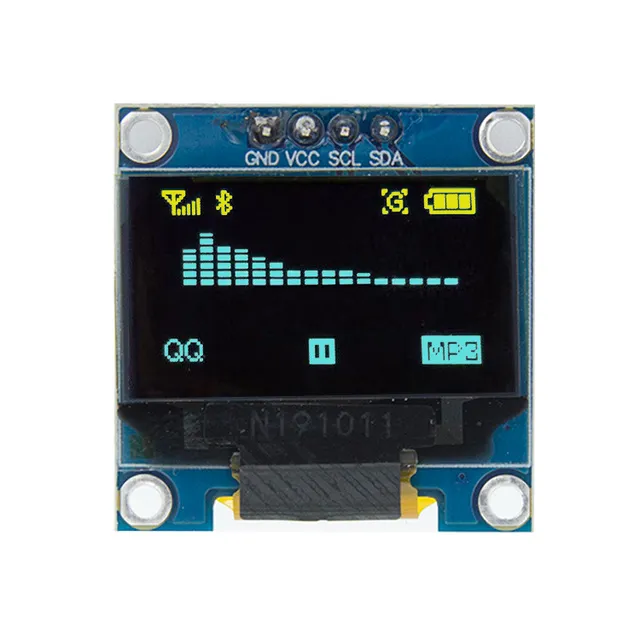
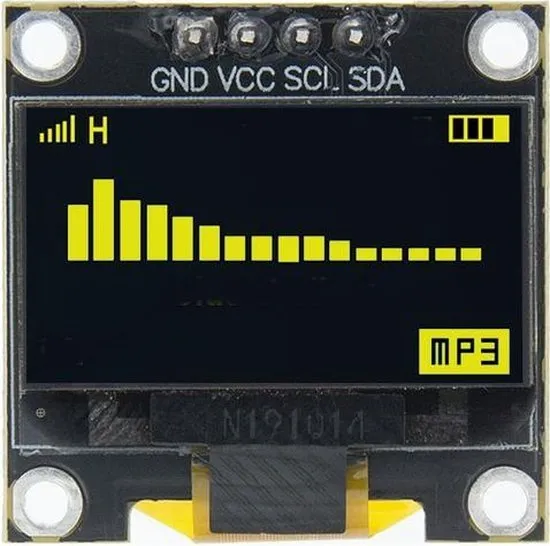
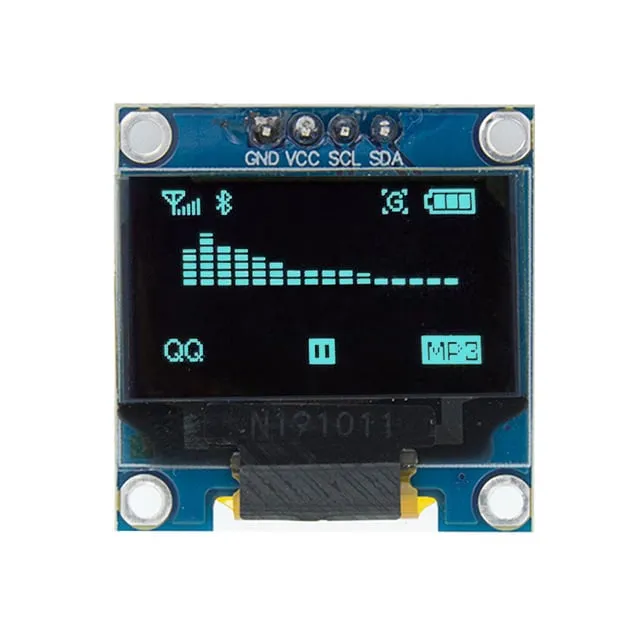
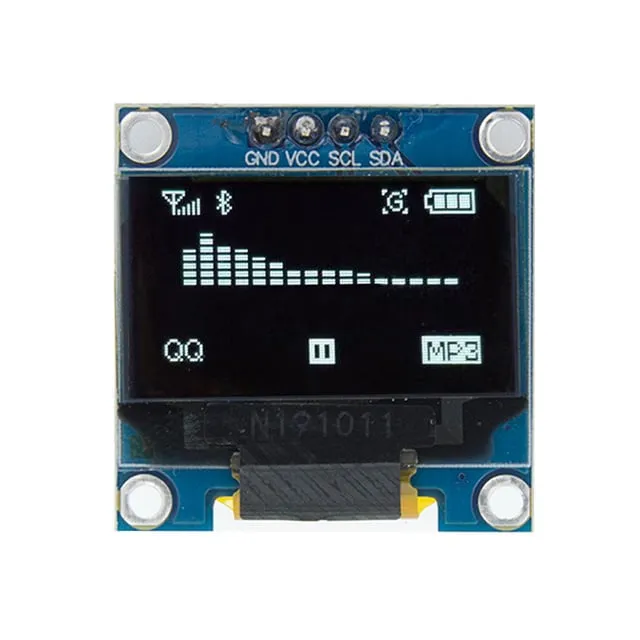
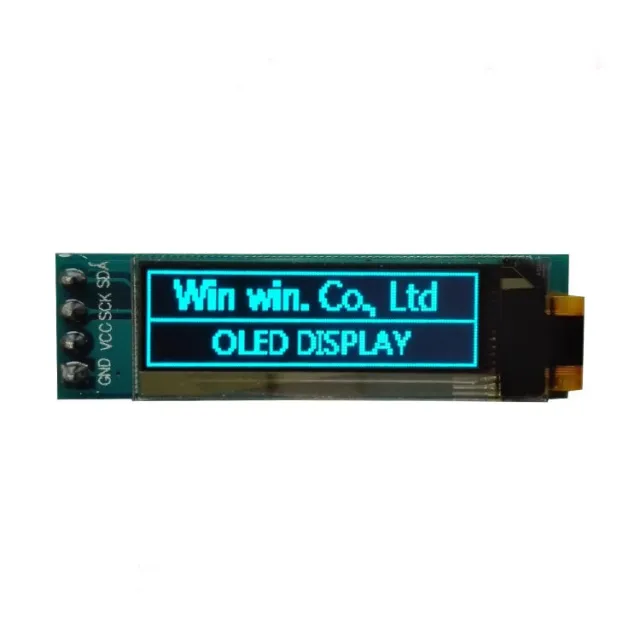
0,96 inch mini 2 farver (gul/blå) OLED skærm. Knivskarpt billede med en opløsning på 128x64 pixels.
OBS: Dette er IKKE en full color OLED skærm. Øverste række pixels er gul (16 pixels), og den nederste del er blå (48 pixels).
Fungerer på en strømforsyning på 3v-5v. Ideel til Arduino eller ESP32 / ESP8266 projekter.
Dimensionerne på dette board er kun 26,1 x 26,1 x 3,2mm.
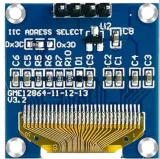
Der er 2 i2c adresser at vælge imellem ved at ændre modstanden på bagsiden.
Tilgængelige adresser er: 0x3C (default) og x3D
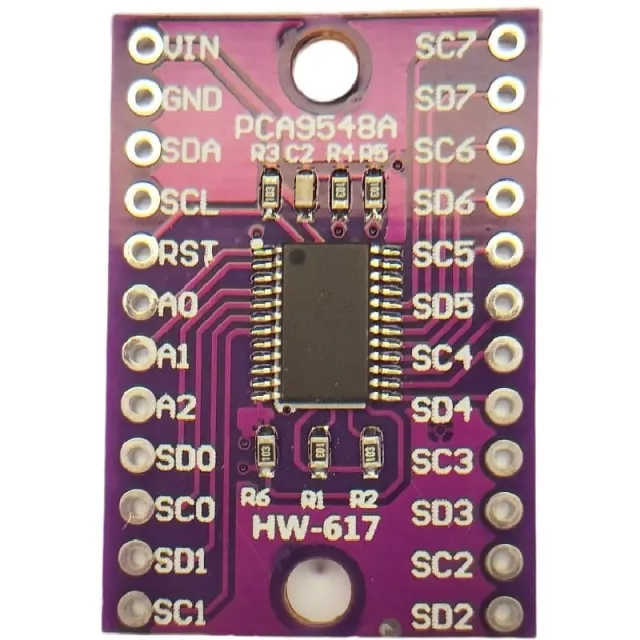
Hvis du vil styre flere OLED displays eller ikke vil lodde SMD, kan du via en i2c mutliplexer også styre op til 8x i2C displays med samme adresse.
Mål
Lengde: 2,61cm
Bredde: 2,61cm
Højde: 0,32cm
Ved afspilning indlæses videoen fra YouTube.
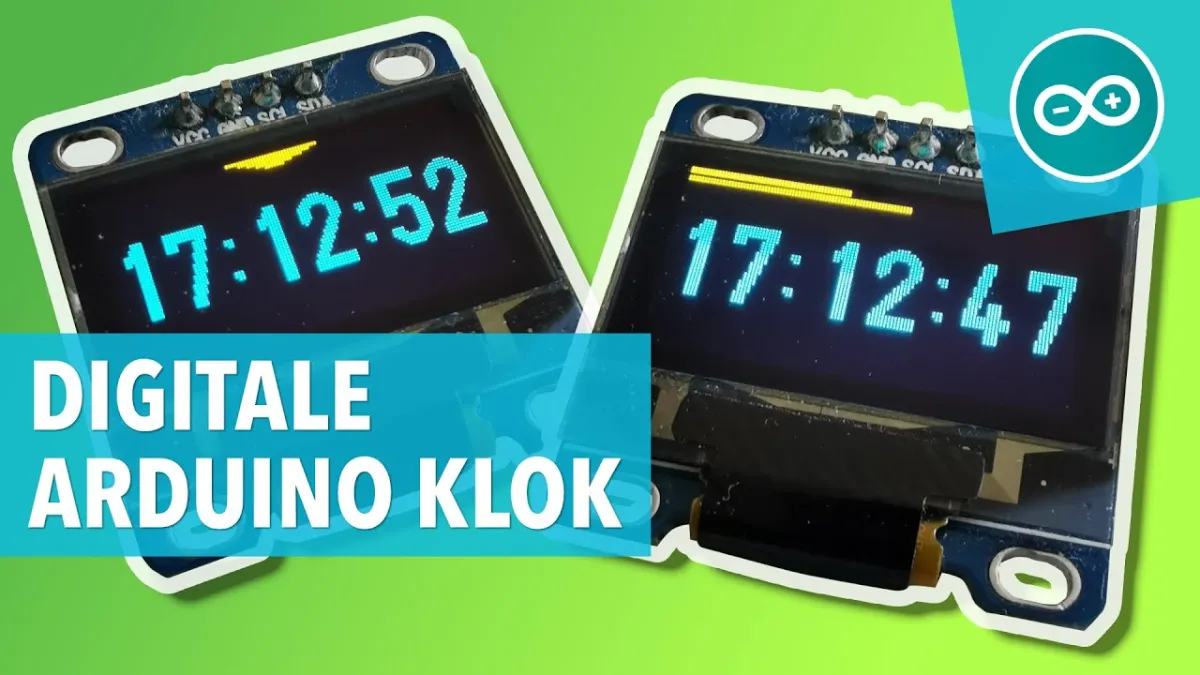
Sådan tilslutter du Mini OLED display gul/blå 0.96 inch 128x64 I2C til en Arduino UNO eller ESP32, med en eksempelsketch, du kan uploade med det samme.
Dette projekt viser dynamisk tekst, oppetid og en animeret statuslinje på en 0.96-inch SSD1306 OLED-skærm ved hjælp af det lette U8g2-bibliotek. Tilslut skærmen via I2C til de analoge pins A4 og A5 på Arduino Uno, og forsyn den med 5V for at se tælleren og grafikken opdatere jævnt.
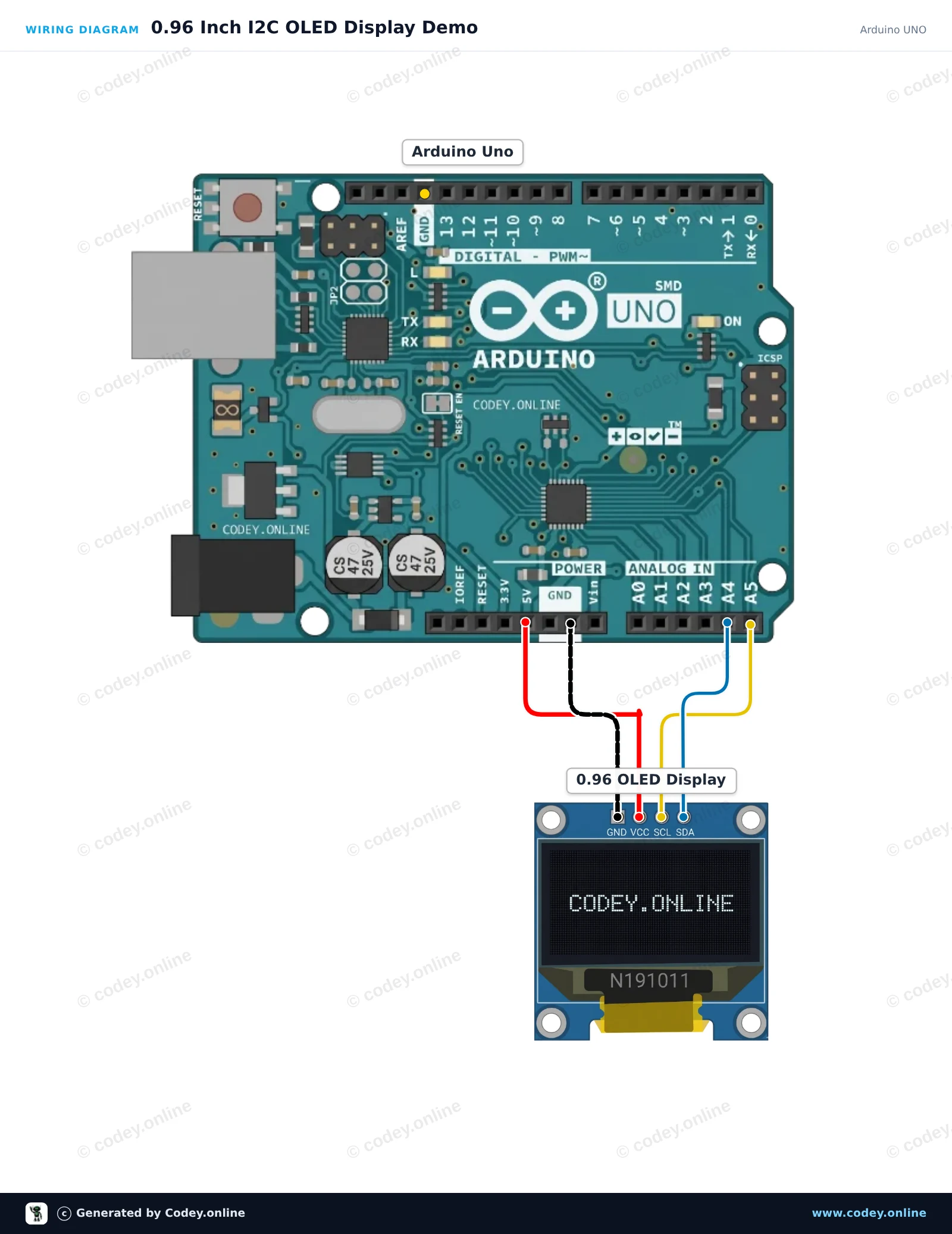
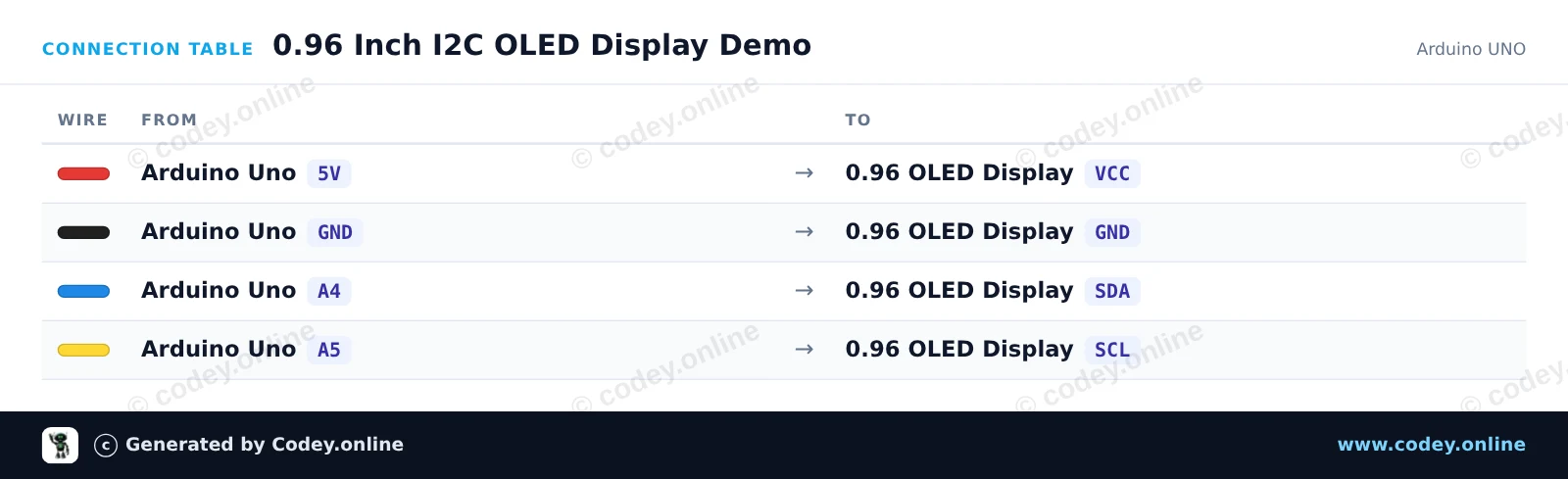
/*
 * ==================================================================
 *  Generated by Codey.online  —  https://www.codey.online
 * ==================================================================
 *  Project   : 0.96 Inch I2C OLED Display Demo
 *  Board     : Arduino UNO (arduino:avr:uno)
 *  Parts     : OLED Display 0.96 inch
 *  Libraries : U8g2 2.36.19
 *
 *  Codey Online is an AI-powered browser IDE for Arduino and ESP32.
 *  Describe your project and Codey writes the code, draws the wiring
 *  diagram and uploads it to your board, straight from the browser.
 *  This code is free to use, modify and share, without warranty.
 * ==================================================================
 */

#include <Wire.h>
#include <U8g2lib.h>

// Initialize U8g2 in page-buffer mode for SSD1306 128x64 I2C display
U8G2_SSD1306_128X64_NONAME_1_HW_I2C u8g2(U8G2_R0, /* reset=*/ U8X8_PIN_NONE);

int counter = 0;

void setup() {
  u8g2.begin();
}

void loop() {
  u8g2.firstPage();
  do {
    // Title Header
    u8g2.setFont(u8g2_font_ncenB08_tr);
    u8g2.drawStr(0, 10, "0.96\" OLED Demo");
    u8g2.drawHLine(0, 13, 128);

    // Text info
    u8g2.setFont(u8g2_font_6x10_tr);
    u8g2.drawStr(0, 28, "Uptime:");
    u8g2.setCursor(55, 28);
    u8g2.print(millis() / 1000);
    u8g2.print(" s");

    u8g2.drawStr(0, 42, "Count:");
    u8g2.setCursor(55, 42);
    u8g2.print(counter);

    // Animated progress bar
    int barWidth = (counter % 124);
    u8g2.drawFrame(0, 50, 128, 12);
    u8g2.drawBox(2, 52, barWidth, 8);
  } while (u8g2.nextPage());

  counter++;
  delay(100);
}Nødvendige biblioteker: U8g2 2.36.19
Wiring diagram and example code generated by Codey.online — https://www.codey.online
Dette projekt viser, hvordan man forbinder et 0,96-tommer I2C OLED-display (SSD1306) til et ESP32-board. Sketchen initialiserer displayet og viser en tæller, der opdateres live, sammen med eksempeltekst.
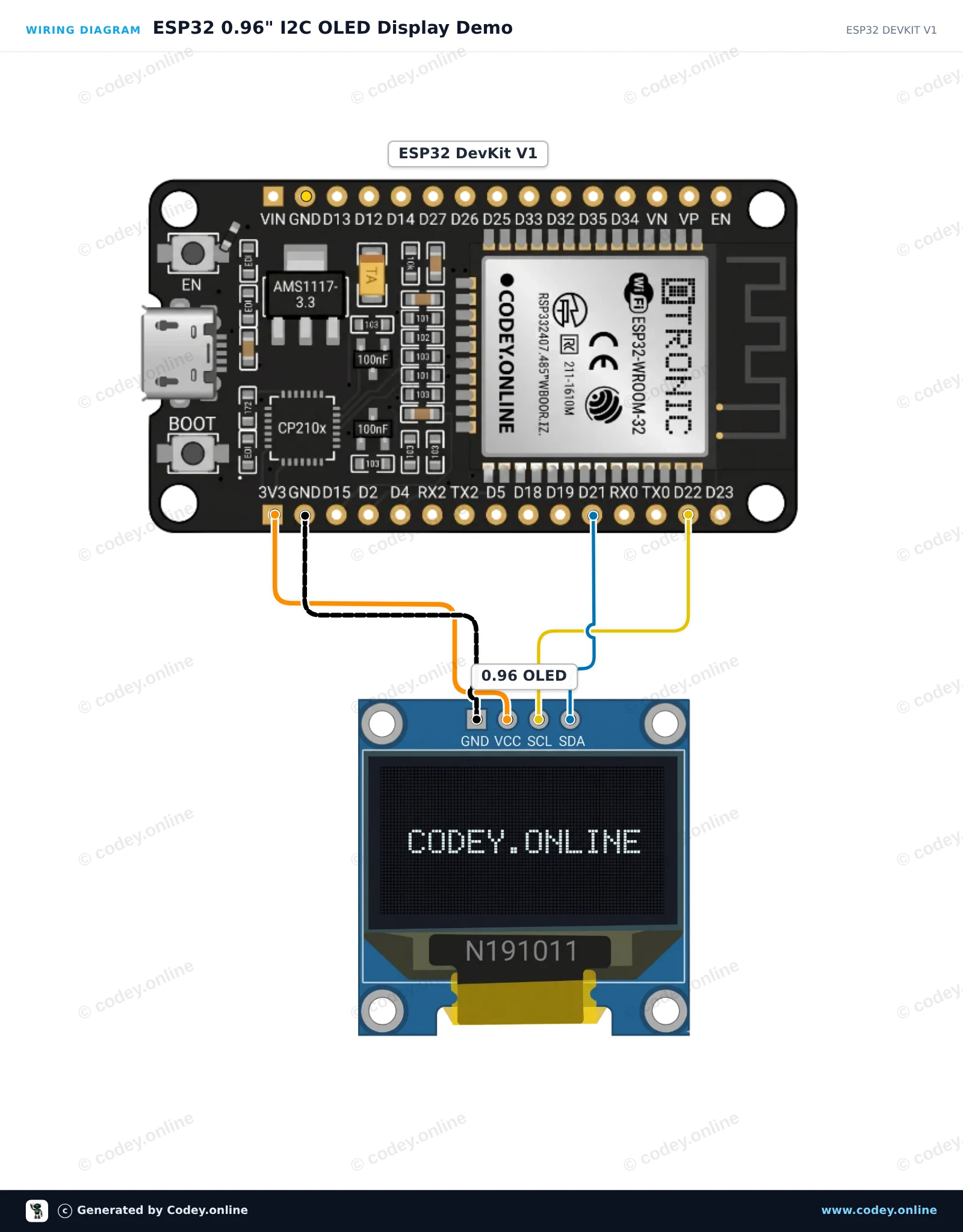
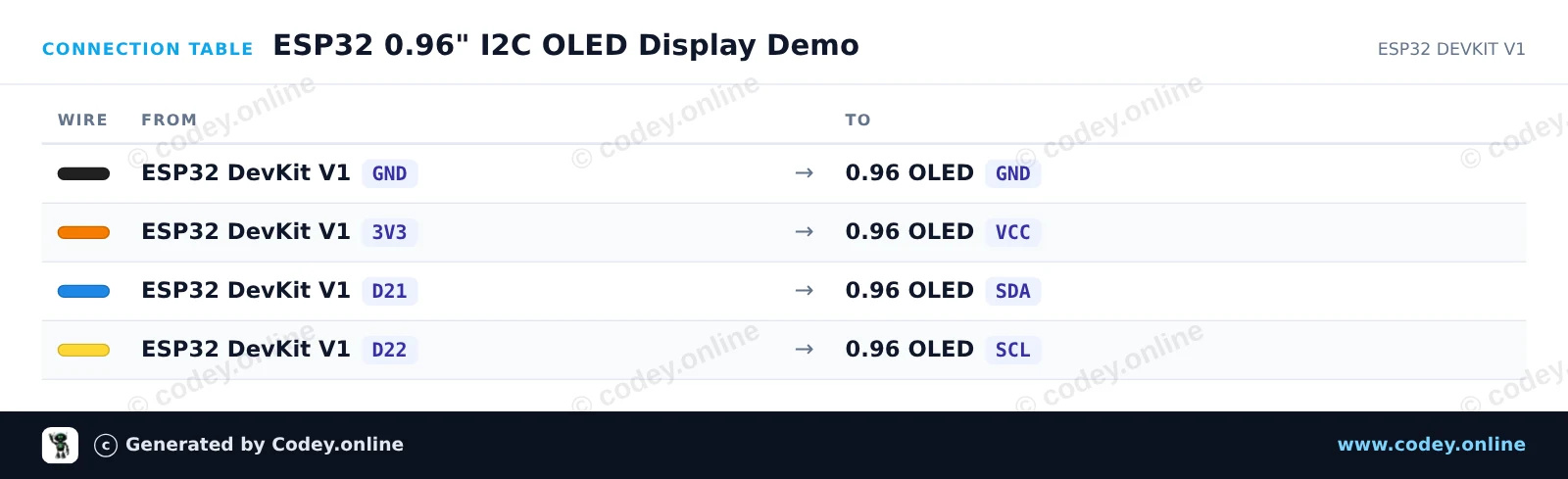
/*
 * ==================================================================
 *  Generated by Codey.online  —  https://www.codey.online
 * ==================================================================
 *  Project   : ESP32 0.96" I2C OLED Display Demo
 *  Board     : ESP32 DEVKIT V1 (esp32:esp32:esp32doit-devkit-v1)
 *  Parts     : OLED Display 0.96 inch
 *  Libraries : Adafruit SSD1306 2.5.16, Adafruit GFX Library 1.12.6
 *
 *  Codey Online is an AI-powered browser IDE for Arduino and ESP32.
 *  Describe your project and Codey writes the code, draws the wiring
 *  diagram and uploads it to your board, straight from the browser.
 *  This code is free to use, modify and share, without warranty.
 * ==================================================================
 */

#include <Wire.h>
#include <Adafruit_GFX.h>
#include <Adafruit_SSD1306.h>

#define SCREEN_WIDTH 128
#define SCREEN_HEIGHT 64
#define OLED_RESET    -1
#define SCREEN_ADDRESS 0x3C

Adafruit_SSD1306 display(SCREEN_WIDTH, SCREEN_HEIGHT, &Wire, OLED_RESET);

int counter = 0;

void setup() {
  Serial.begin(115200);

  // Initialize I2C and display
  if (!display.begin(SSD1306_SWITCHCAPVCC, SCREEN_ADDRESS)) {
    Serial.println("SSD1306 allocation failed");
    for (;;); // Don't proceed, loop forever
  }

  display.clearDisplay();
  display.setTextColor(SSD1306_WHITE);
  display.setTextSize(1);
  display.setCursor(0, 0);
  display.println("ESP32 OLED Demo");
  display.display();
  delay(2000);
}

void loop() {
  display.clearDisplay();

  // Title
  display.setTextSize(1);
  display.setCursor(0, 0);
  display.println("ESP32 + OLED 0.96\"");

  display.drawLine(0, 12, 127, 12, SSD1306_WHITE);

  // Counter display
  display.setCursor(0, 20);
  display.println("Uptime Seconds:");
  display.setTextSize(2);
  display.setCursor(0, 36);
  display.print(counter);

  display.display();

  counter++;
  delay(1000);
}Nødvendige biblioteker: Adafruit SSD1306 2.5.16, Adafruit GFX Library 1.12.6
Wiring diagram and example code generated by Codey.online — https://www.codey.online





 English
  Nederlands
  Frans
Frans  Deutsch
  Italiano
  Español
  Suomi
Suomi  Polski
  Ελληνικά
  Български
  Čeština
  Hrvatski
  Svenska
  Aileen