SKU: OT3243 Varenummer: AB098 EAN: 8720618231314

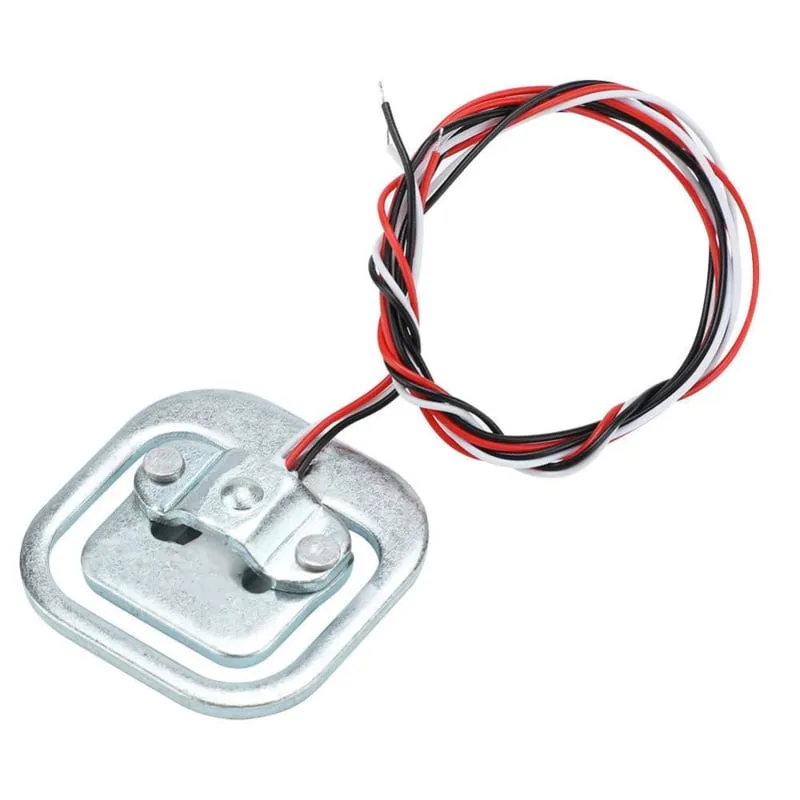
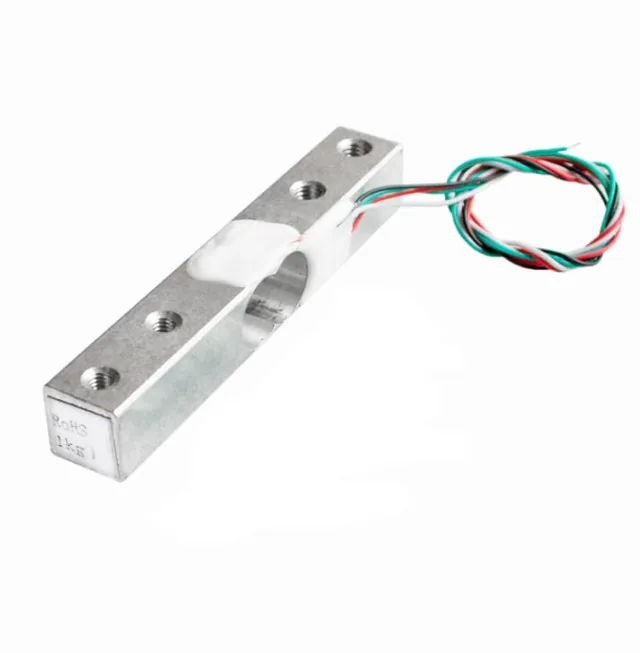
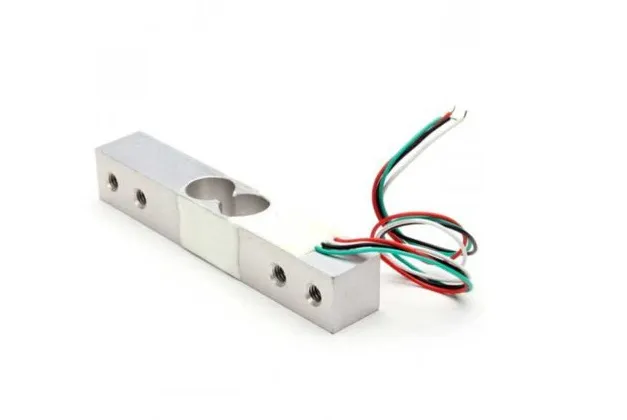
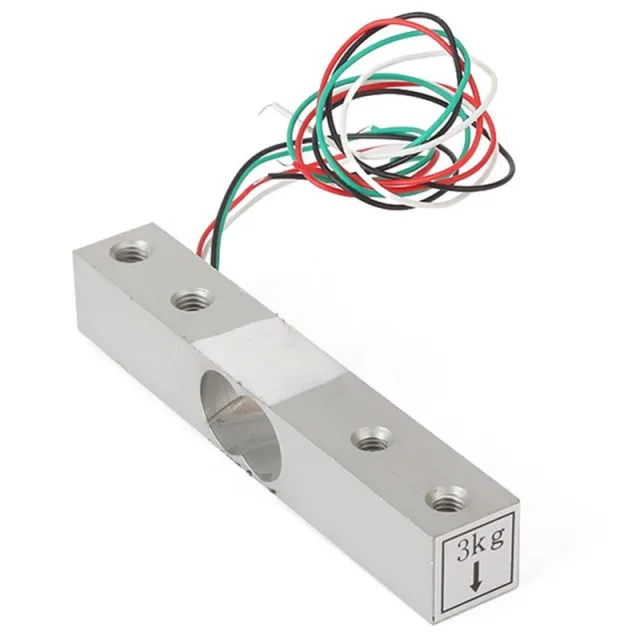
Denne vejecelle eller vægtsensor kan klare en vægt på op til 50KG. Hvis du ønsker at veje en større vægt, er det muligt at kombinere sensoren. Ved for eksempel at bruge 4 vejeceller på 50KG bliver den maksimale vægt 200KG.
Materiale: Aluminium
Kapacitet: 50KG
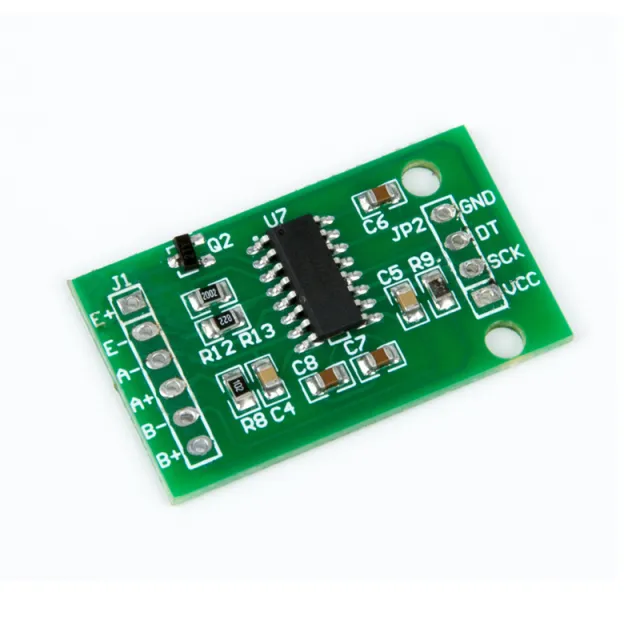
Kan bruges med Arduino, ESP32 eller ESP8266 i kombination med HX711 Weegcelversterker.
Dimensioner
Lengde: 3,88cm
Bredde: 3,88cm
Højde: 1,21cm
Ved afspilning indlæses videoen fra YouTube.
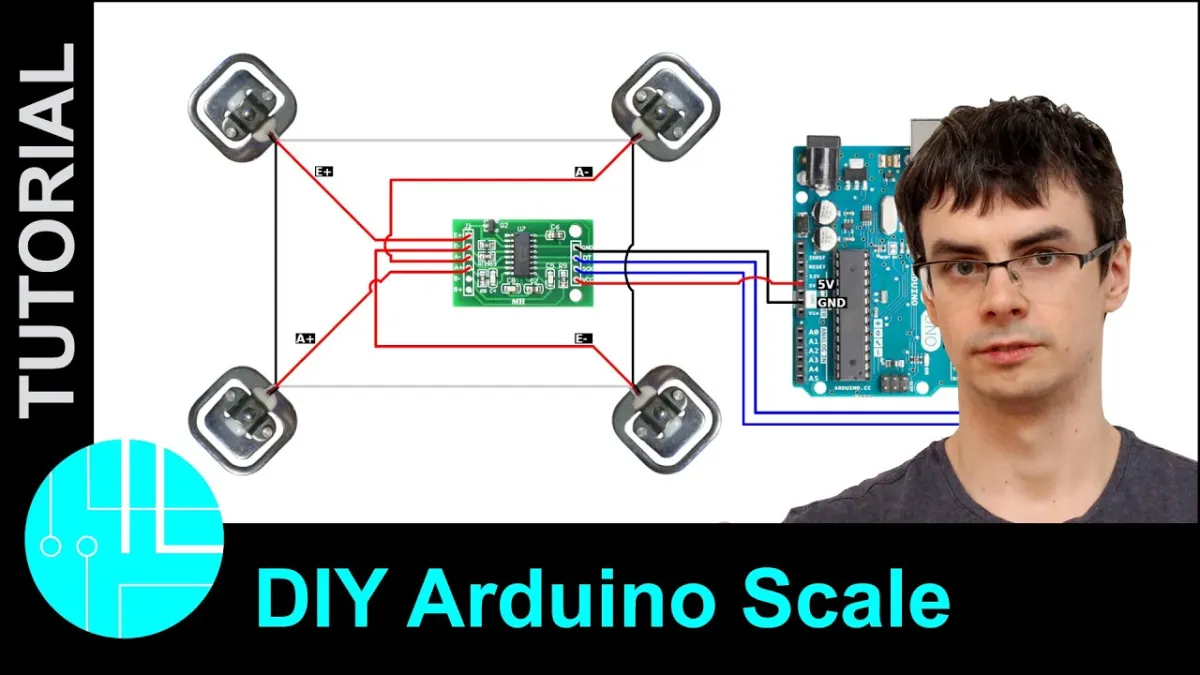
Sådan tilslutter du Vægtsensor op til 50KG til en Arduino UNO eller ESP32, med en eksempelsketch, du kan uploade med det samme.
Dette projekt måler vægt ved hjælp af en 50kg load cell, der er tilsluttet en Arduino Uno via et HX711-forstærkermodul. Sketchen taraerer vægten ved opstart og viser gentagne gange den målte vægt i Serial Monitor. Du kan kalibrere aflæsningen ved at justere kalibreringsfaktoren med en kendt vægt.
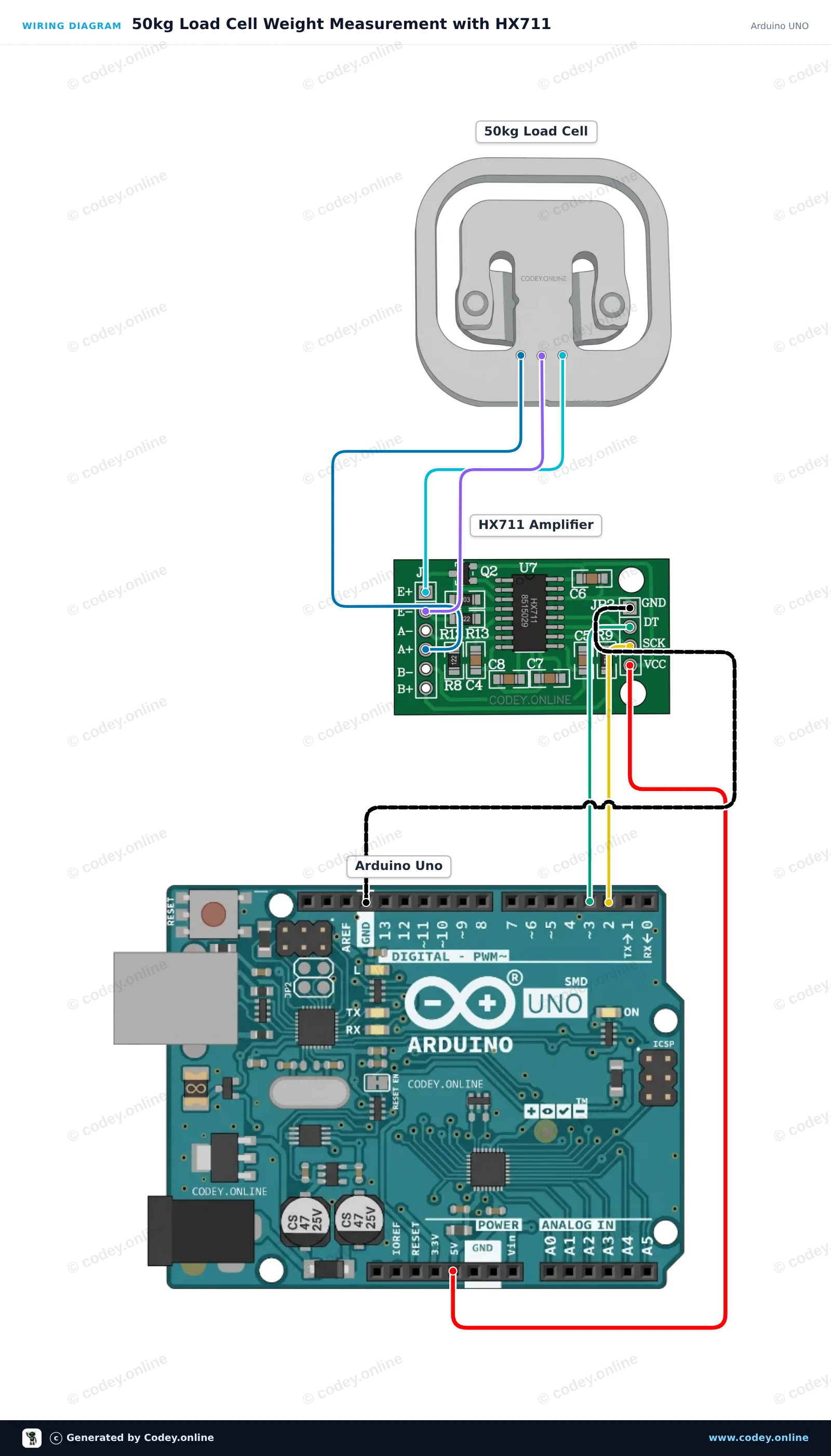
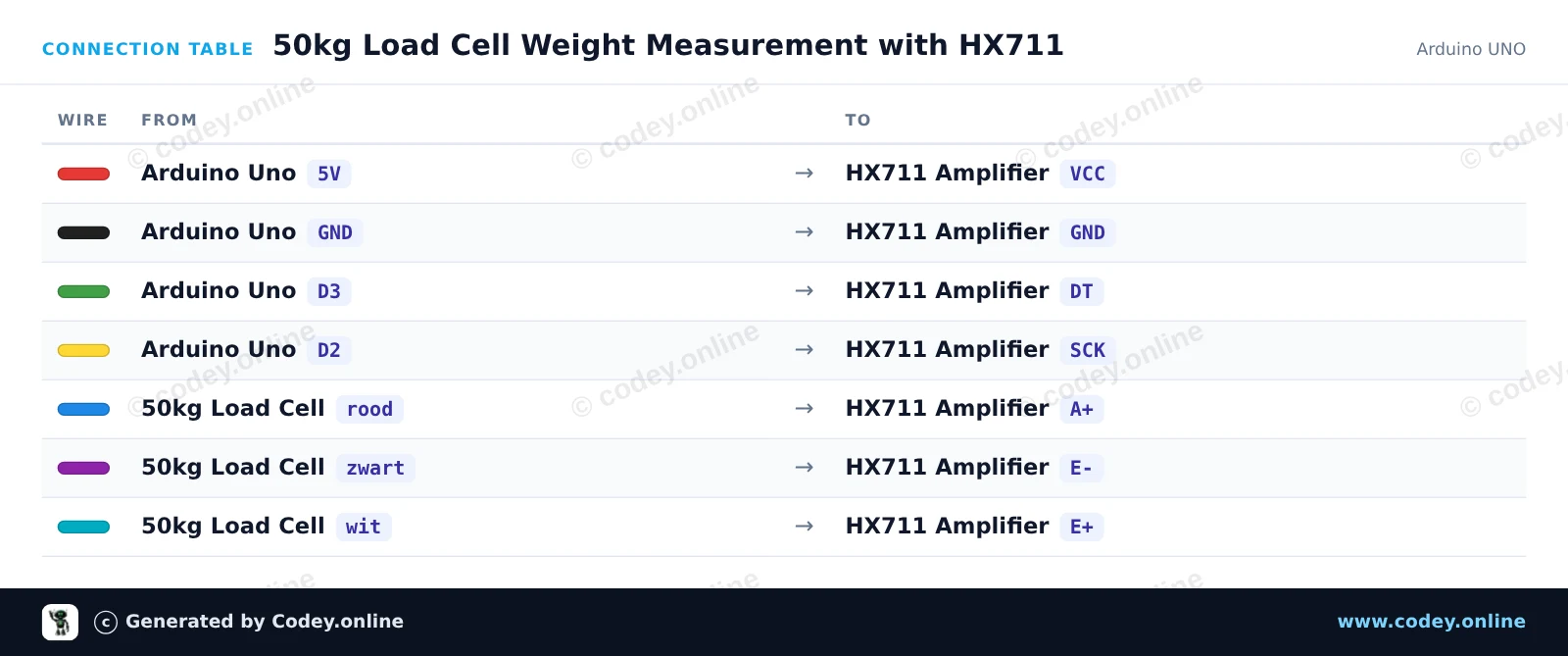
/*
 * ==================================================================
 *  Generated by Codey.online  —  https://www.codey.online
 * ==================================================================
 *  Project   : 50kg Load Cell Weight Measurement with HX711
 *  Board     : Arduino UNO (arduino:avr:uno)
 *  Parts     : 50kg Load Cell Weight Sensor
 *  Libraries : HX711 Arduino Library 0.7.5
 *
 *  Codey Online is an AI-powered browser IDE for Arduino and ESP32.
 *  Describe your project and Codey writes the code, draws the wiring
 *  diagram and uploads it to your board, straight from the browser.
 *  This code is free to use, modify and share, without warranty.
 * ==================================================================
 */

#include "HX711.h"

const int LOADCELL_DOUT_PIN = 3;
const int LOADCELL_SCK_PIN = 2;

HX711 scale;

// Adjust this calibration factor after testing with a known reference weight
float calibration_factor = -7050.0;

void setup() {
  Serial.begin(115200);
  while (!Serial) {
    ; // Wait for serial port to connect
  }

  Serial.println(F("--- HX711 Load Cell Scale ---"));
  Serial.println(F("Initializing scale, do not place weight on the sensor..."));

  scale.begin(LOADCELL_DOUT_PIN, LOADCELL_SCK_PIN);
  scale.set_scale(calibration_factor);
  scale.tare(); // Reset the scale to 0

  Serial.println(F("Tare complete. Ready for measurements."));
}

void loop() {
  if (scale.is_ready()) {
    float weight = scale.get_units(5);
    Serial.print(F("Weight: "));
    Serial.print(weight, 2);
    Serial.println(F(" units"));
  } else {
    Serial.println(F("HX711 not ready."));
  }

  delay(500);
}Nødvendige biblioteker: HX711 Arduino Library 0.7.5
Wiring diagram and example code generated by Codey.online — https://www.codey.online
Dette projekt aflæser vægtværdier fra en enkelt 50kg half-bridge load cell ved hjælp af en HX711-forstærker og to 1kΩ modstande for at fuldende Wheatstone-broen. Tilslut kredsløbet, upload sketch, og åbn Serial Monitor ved 115200 baud for at se vægtsensorens målinger i realtid.
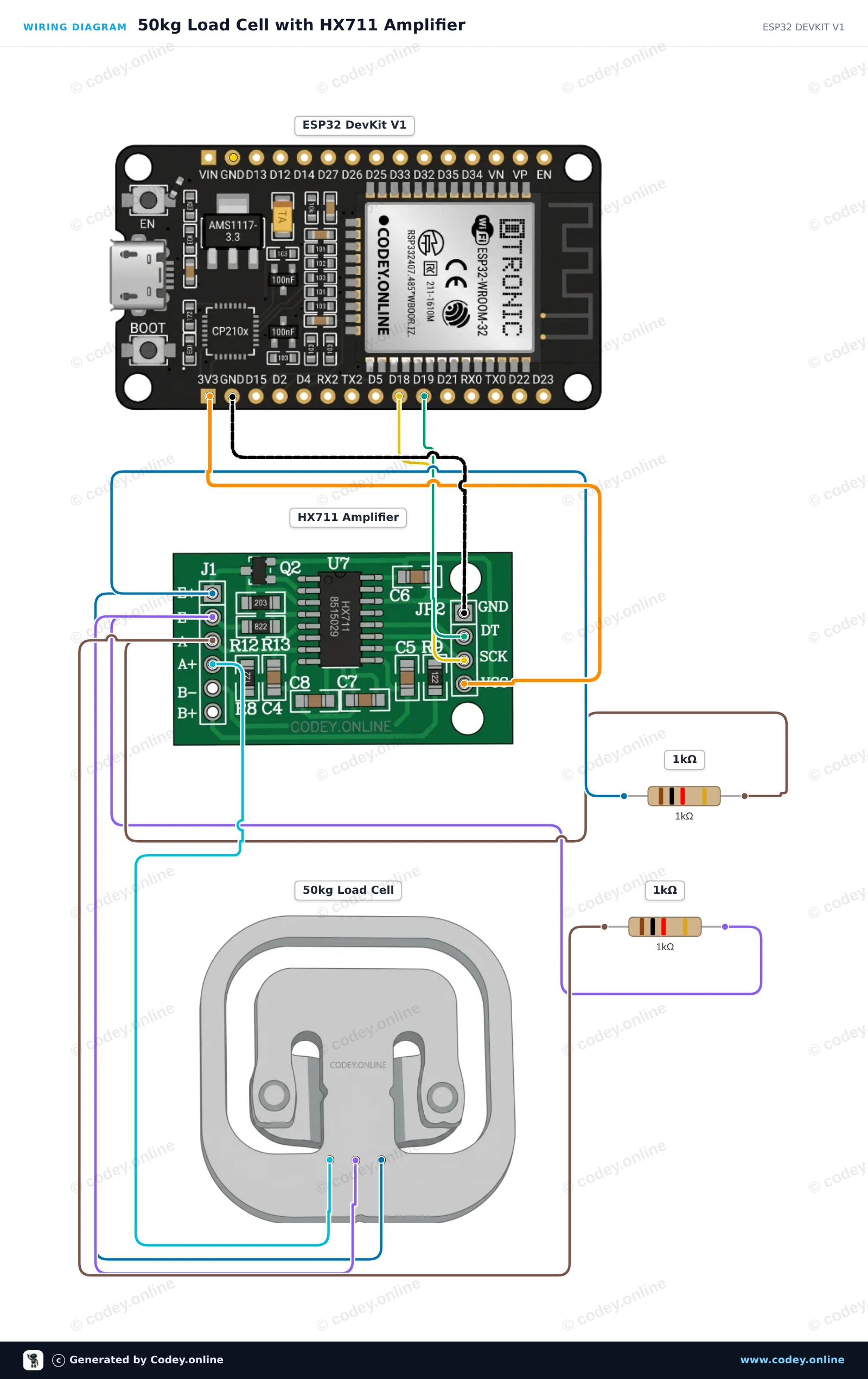
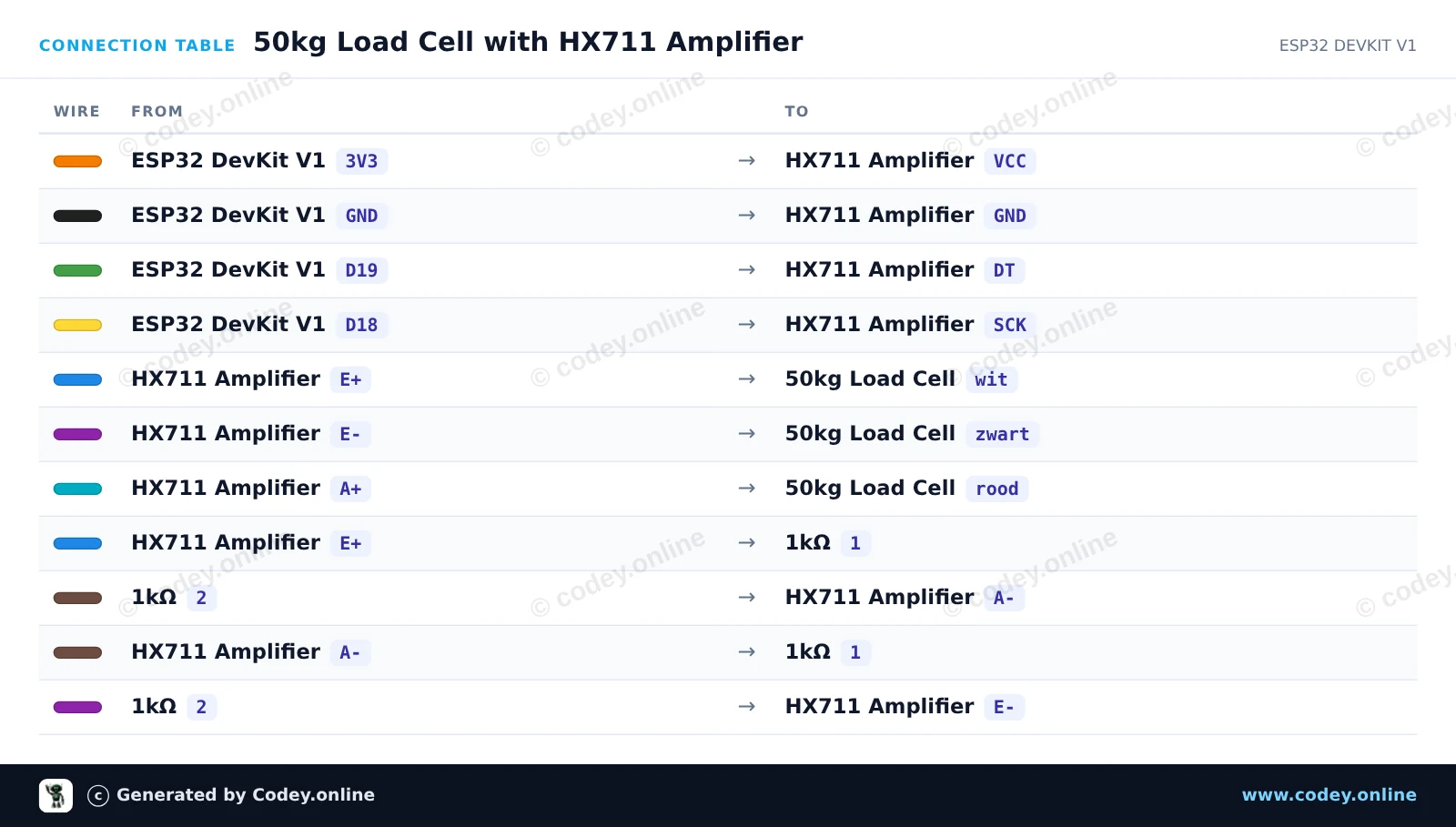
/*
 * ==================================================================
 *  Generated by Codey.online  —  https://www.codey.online
 * ==================================================================
 *  Project   : 50kg Load Cell with HX711 Amplifier
 *  Board     : ESP32 DEVKIT V1 (esp32:esp32:esp32doit-devkit-v1)
 *  Parts     : 50kg Load Cell Weight Sensor
 *  Libraries : HX711 Arduino Library 0.7.5
 *
 *  Codey Online is an AI-powered browser IDE for Arduino and ESP32.
 *  Describe your project and Codey writes the code, draws the wiring
 *  diagram and uploads it to your board, straight from the browser.
 *  This code is free to use, modify and share, without warranty.
 * ==================================================================
 */

#include "HX711.h"

// Pin definitions for HX711
const int DOUT_PIN = 19;
const int SCK_PIN = 18;

HX711 scale;

void setup() {
  Serial.begin(115200);
  Serial.println("50kg Load Cell Demo");

  scale.begin(DOUT_PIN, SCK_PIN);

  Serial.println("Taring scale... Please keep sensor unloaded.");
  delay(1000);
  scale.tare();
  Serial.println("Tare complete. Ready for readings!");
}

void loop() {
  if (scale.is_ready()) {
    long rawValue = scale.get_value(5);
    Serial.print("Raw Load Cell Value: ");
    Serial.println(rawValue);
  } else {
    Serial.println("HX711 not found or not ready.");
  }

  delay(500);
}Nødvendige biblioteker: HX711 Arduino Library 0.7.5
Wiring diagram and example code generated by Codey.online — https://www.codey.online





 English
  Nederlands
  Frans
Frans  Deutsch
  Italiano
  Español
  Suomi
Suomi  Polski
  Ελληνικά
  Български
  Čeština
  Hrvatski
  Aileen