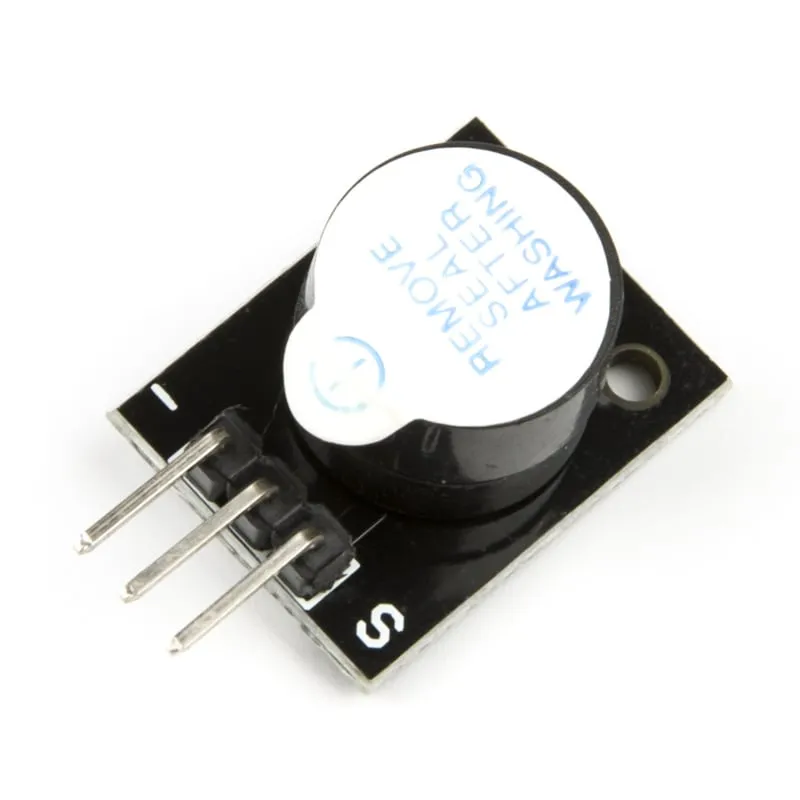
SKU: OT2001-D123 Varenummer: AB011 EAN: 8598008139881

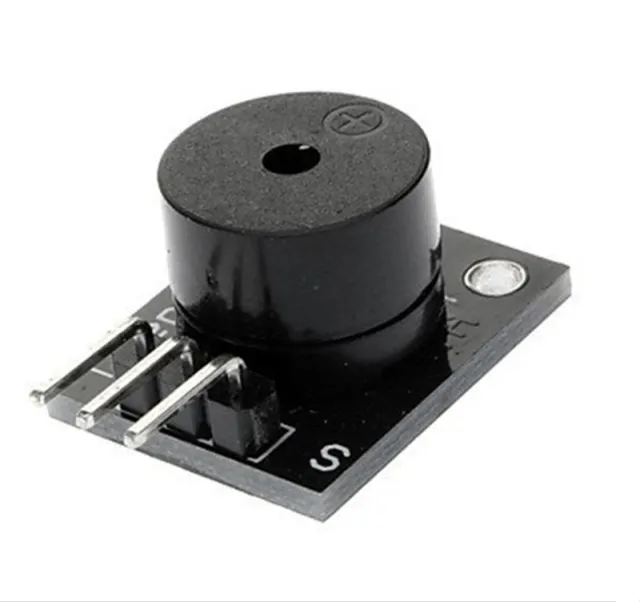
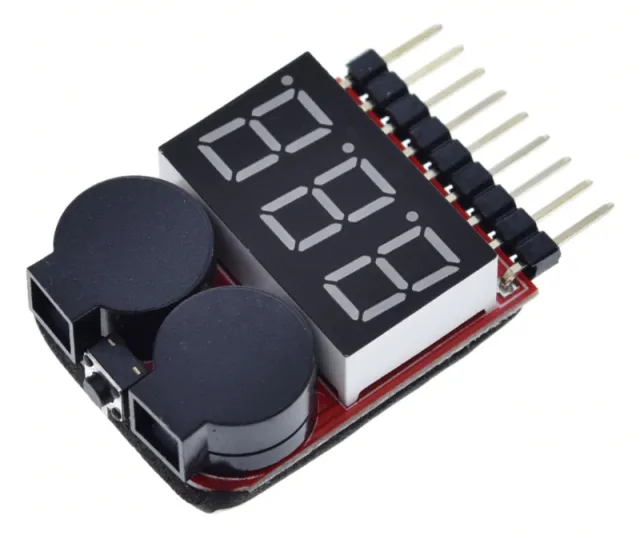
En aktiv buzzer-modul til dit Arduino-projekt.
Afmetingen
Længde: 1,9cm
Bredde: 1,5cm
Højde: 1,2cm
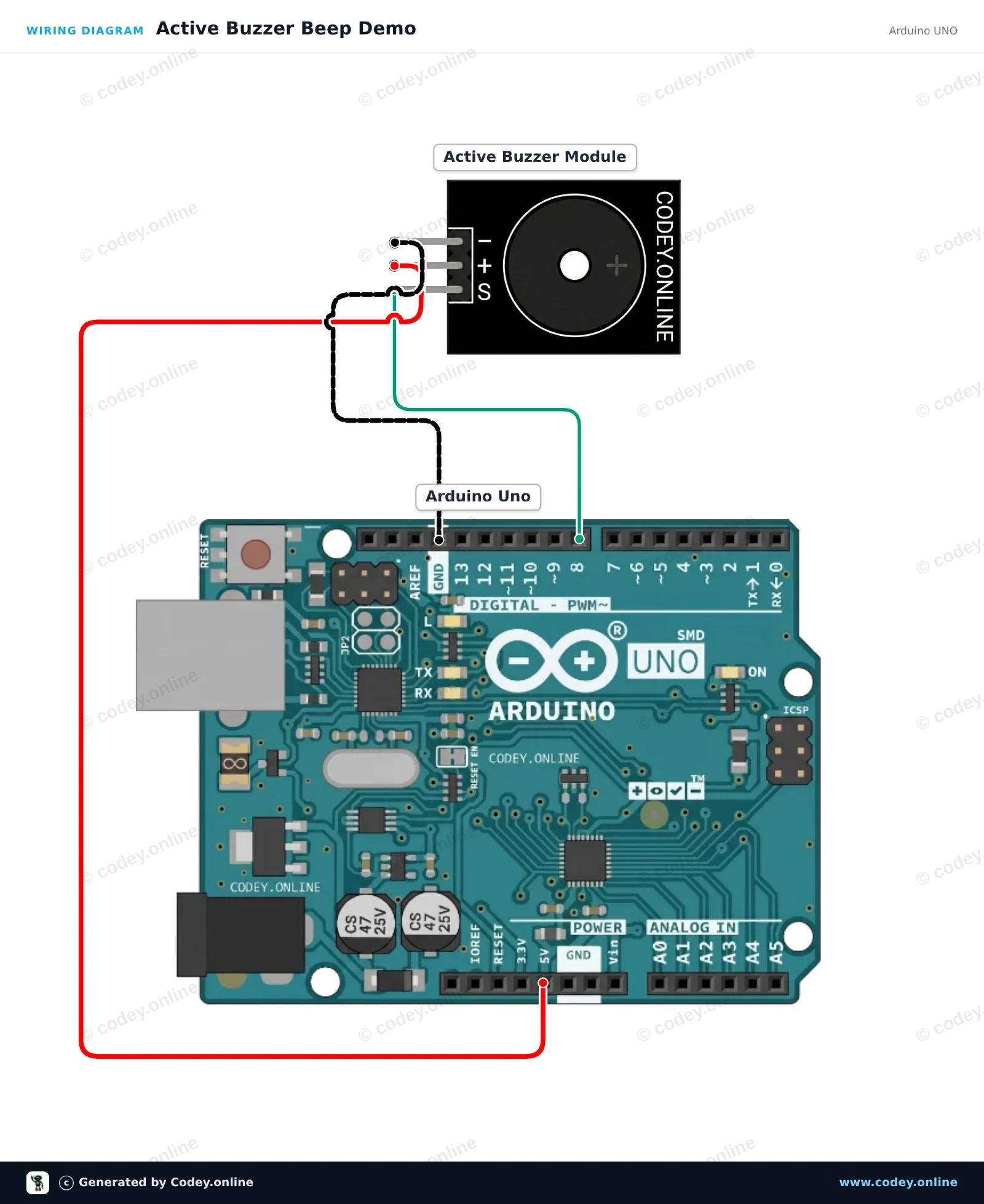
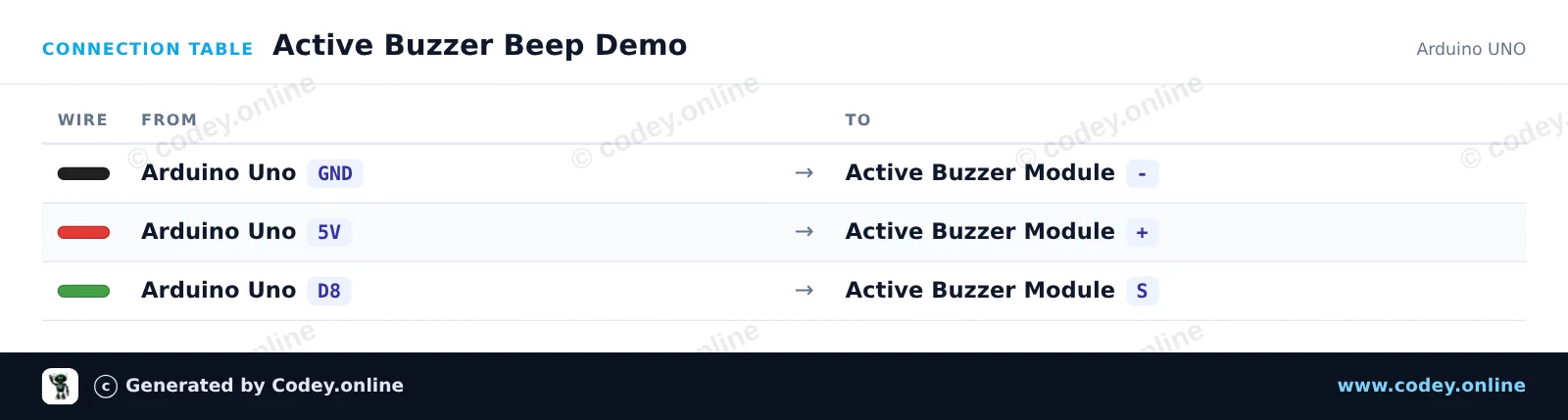
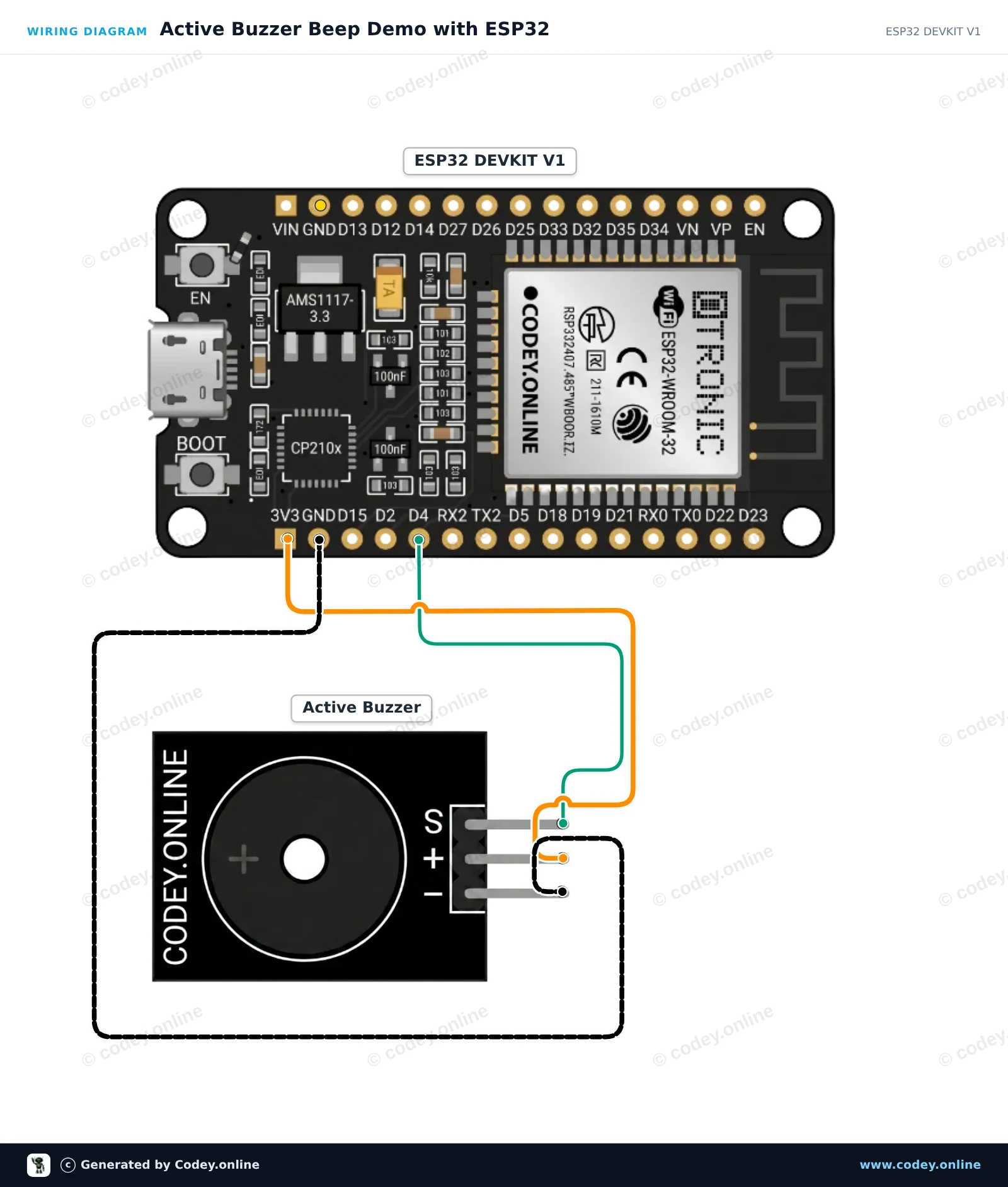
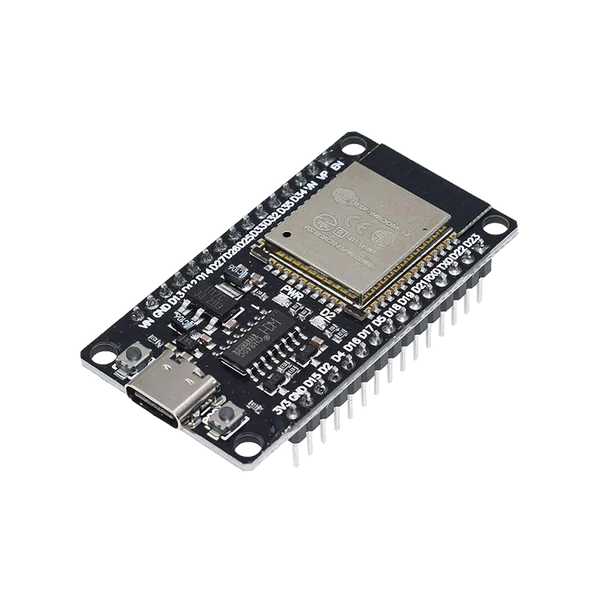
Sådan tilslutter du Aktiv buzzer-modul til en Arduino UNO eller ESP32, med en eksempelsketch, du kan uploade med det samme.
Dette projekt viser, hvordan man styrer et active buzzer module med en Arduino Uno. Active buzzeret genererer en tone med fast frekvens, hver gang signalbenet sættes til HIGH. Koden tænder og slukker buzzeren gentagne gange for at skabe et enkelt bipmønster.
/*
 * ==================================================================
 *  Generated by Codey.online  —  https://www.codey.online
 * ==================================================================
 *  Project   : Active Buzzer Beep Demo
 *  Board     : Arduino UNO (arduino:avr:uno)
 *  Parts     : Active Buzzer Module
 *  Libraries : none (built-in)
 *
 *  Codey Online is an AI-powered browser IDE for Arduino and ESP32.
 *  Describe your project and Codey writes the code, draws the wiring
 *  diagram and uploads it to your board, straight from the browser.
 *  This code is free to use, modify and share, without warranty.
 * ==================================================================
 */

const int BUZZER_PIN = 8;

void setup() {
  pinMode(BUZZER_PIN, OUTPUT);
  Serial.begin(115200);
  Serial.println(F("Active Buzzer Demo Ready"));
}

void loop() {
  // Turn the buzzer on
  Serial.println(F("Buzzer ON"));
  digitalWrite(BUZZER_PIN, HIGH);
  delay(200);

  // Turn the buzzer off
  Serial.println(F("Buzzer OFF"));
  digitalWrite(BUZZER_PIN, LOW);
  delay(800);
}Wiring diagram and example code generated by Codey.online — https://www.codey.online
Dette projekt viser, hvordan man styrer et active buzzer-modul med en ESP32. Sketchen tænder og slukker buzzer'en i et gentaget beep-mønster, mens den aktuelle status vises i Serial Monitor.
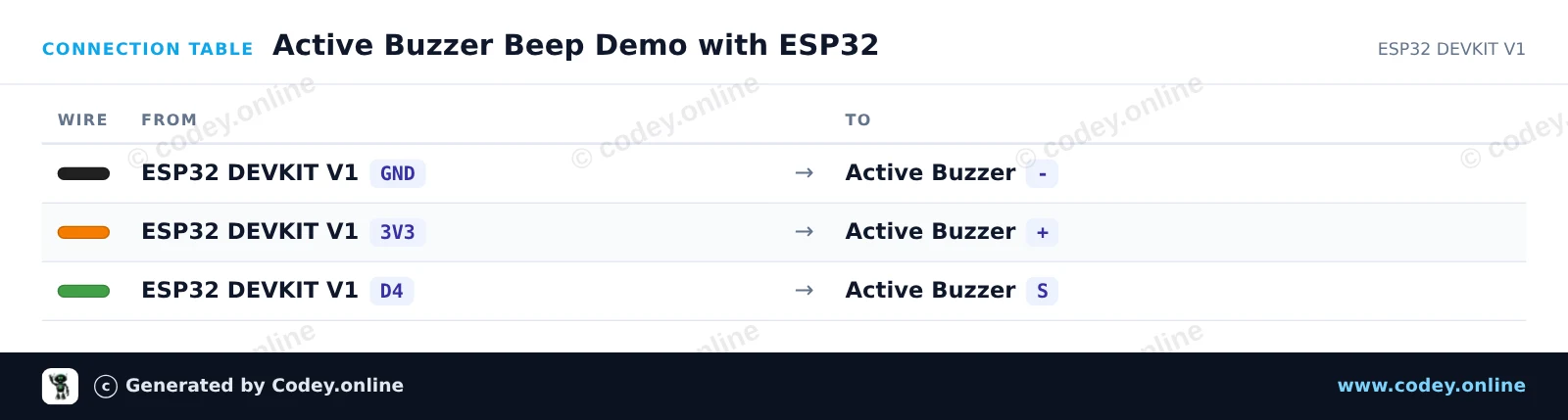
/*
 * ==================================================================
 *  Generated by Codey.online  —  https://www.codey.online
 * ==================================================================
 *  Project   : Active Buzzer Beep Demo with ESP32
 *  Board     : ESP32 DEVKIT V1 (esp32:esp32:esp32doit-devkit-v1)
 *  Parts     : Active Buzzer Module
 *  Libraries : none (built-in)
 *
 *  Codey Online is an AI-powered browser IDE for Arduino and ESP32.
 *  Describe your project and Codey writes the code, draws the wiring
 *  diagram and uploads it to your board, straight from the browser.
 *  This code is free to use, modify and share, without warranty.
 * ==================================================================
 */

// Active Buzzer Demo for ESP32 DEVKIT V1
// Connect the buzzer signal pin to GPIO 4 (D4 on silkscreen)

const int BUZZER_PIN = 4;

void setup() {
  Serial.begin(115200);
  pinMode(BUZZER_PIN, OUTPUT);
  digitalWrite(BUZZER_PIN, LOW);
  Serial.println("Active Buzzer Demo Ready");
}

void loop() {
  // Turn the buzzer ON
  Serial.println("Buzzer ON");
  digitalWrite(BUZZER_PIN, HIGH);
  delay(200);

  // Turn the buzzer OFF
  Serial.println("Buzzer OFF");
  digitalWrite(BUZZER_PIN, LOW);
  delay(200);

  // Second beep
  Serial.println("Buzzer ON");
  digitalWrite(BUZZER_PIN, HIGH);
  delay(200);

  // Pause between beep sequences
  Serial.println("Buzzer OFF (Pause)");
  digitalWrite(BUZZER_PIN, LOW);
  delay(1000);
}Wiring diagram and example code generated by Codey.online — https://www.codey.online







 English
  Nederlands
  Frans
Frans  Deutsch
  Italiano
  Español
  Suomi
Suomi  Polski
  Ελληνικά
  Български
  Čeština
  Hrvatski
  Aileen