SKU: OT704-C87 Varenummer: AB039 EAN: 8029313760373

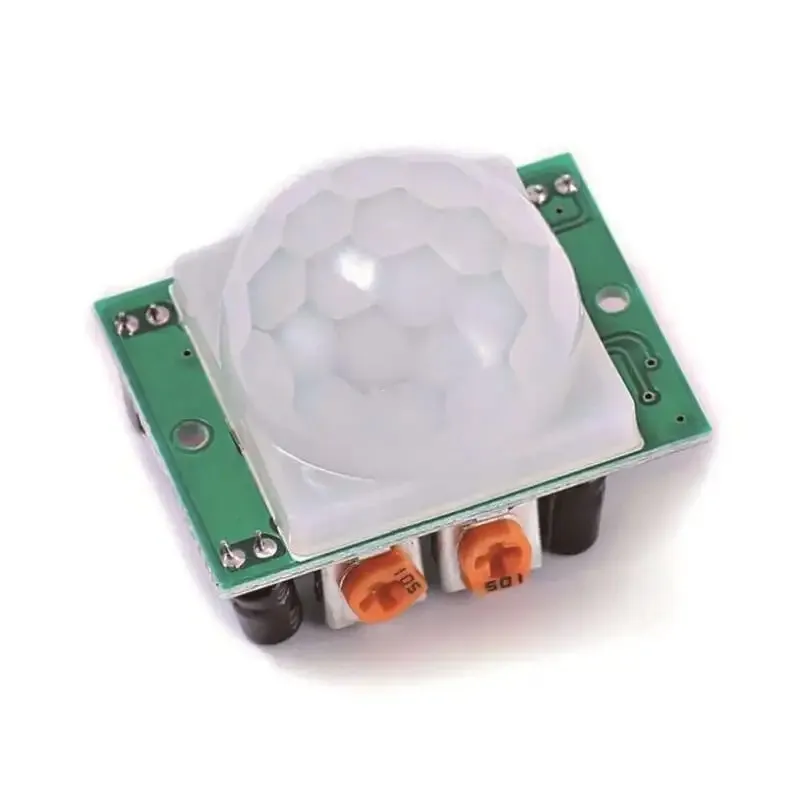
HC-SR501 PIR bevægelsessensor er en infrarød bevægelsessensor med følgende specifikationer:
– Detektionsafstand: 3-7m.
– Forsinkelse: 5-200s
– Output voltage: 3.3V
- Arbejder ved: 4.5-20V
– Detektionsvinkel: <140°.
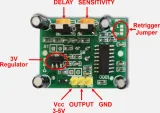
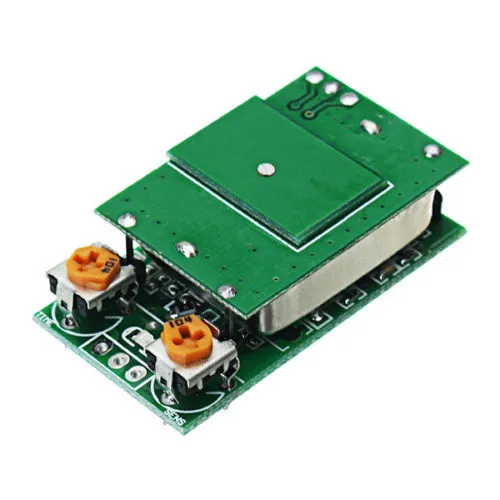
HC-SR501 PIR bevægelsessensor infrarød PIR registrerer bevægelse. Når bevægelse registreres, giver den et 3.3v signal på output-benet, og tiden kan indstilles via potentiometeret VR1. Detektionsafstanden kan indstilles fra 3-7 meter via potentiometeret VR2.
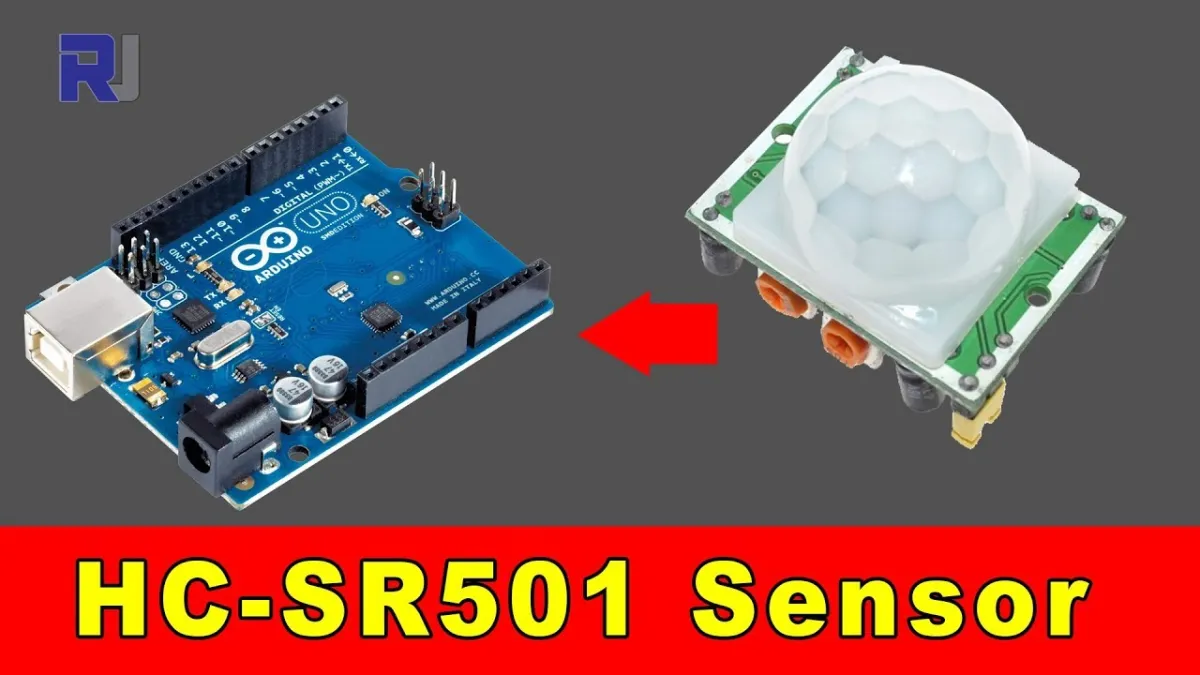
Ved afspilning indlæses videoen fra YouTube.
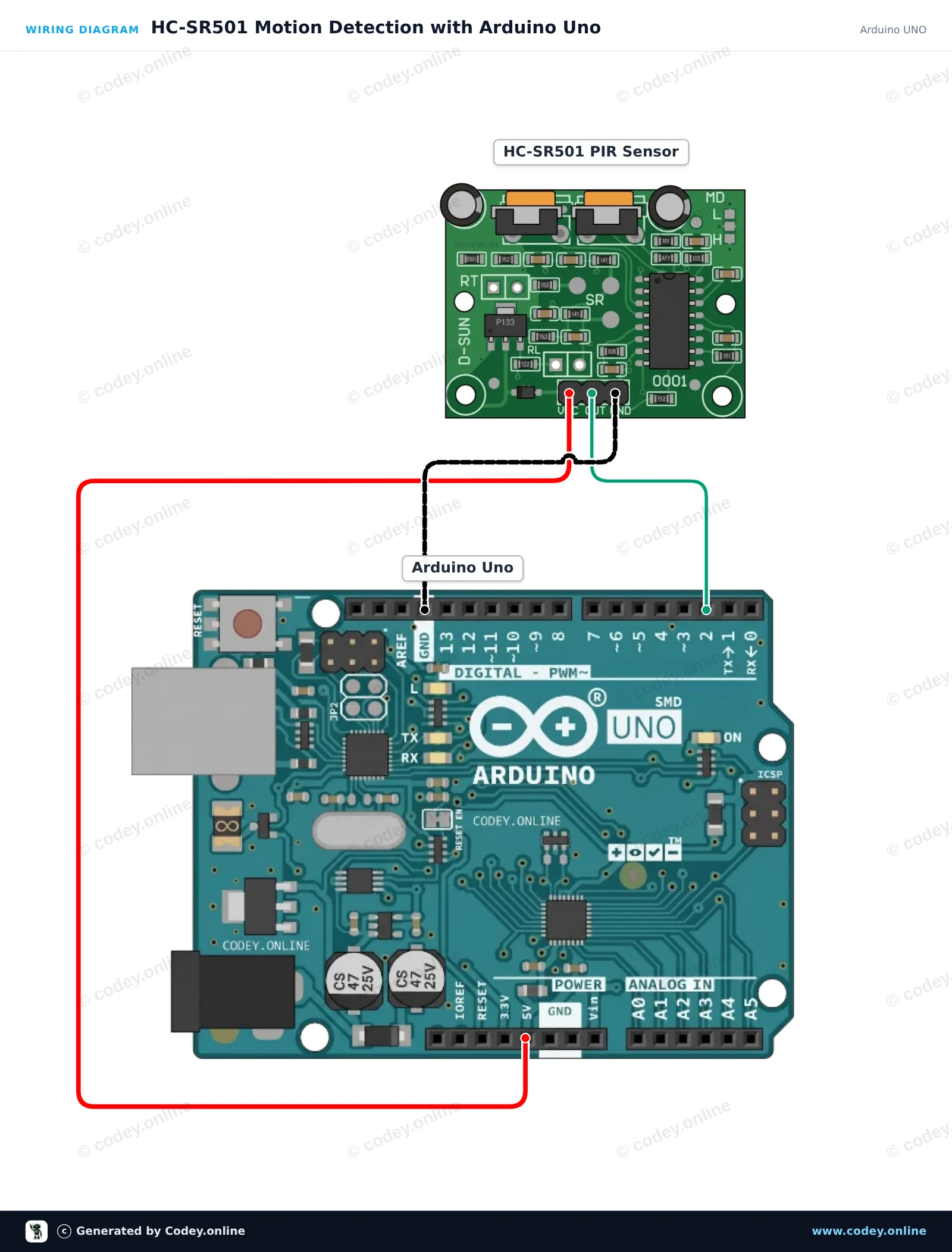
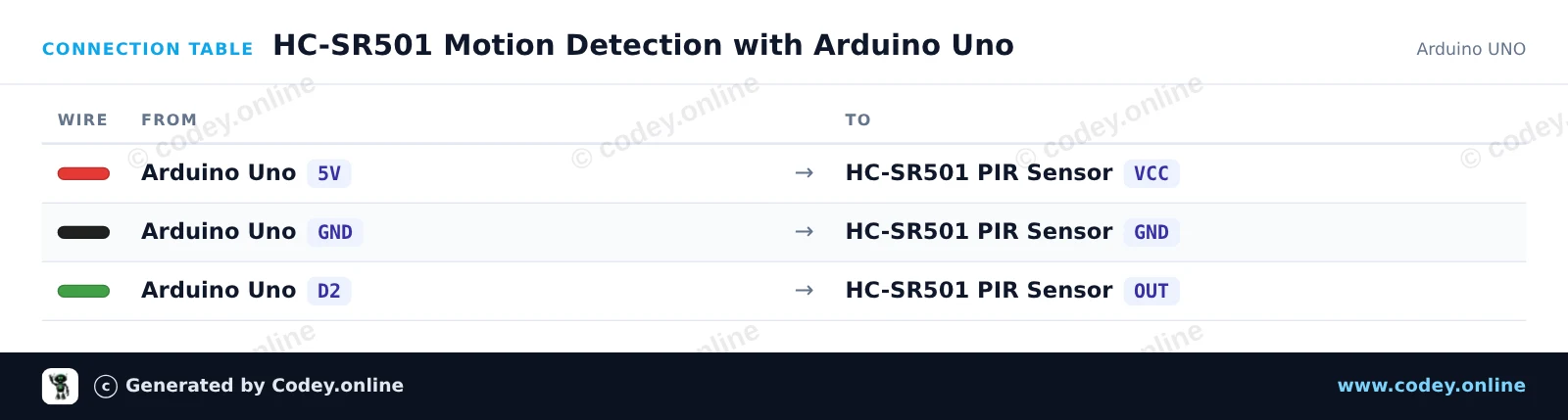
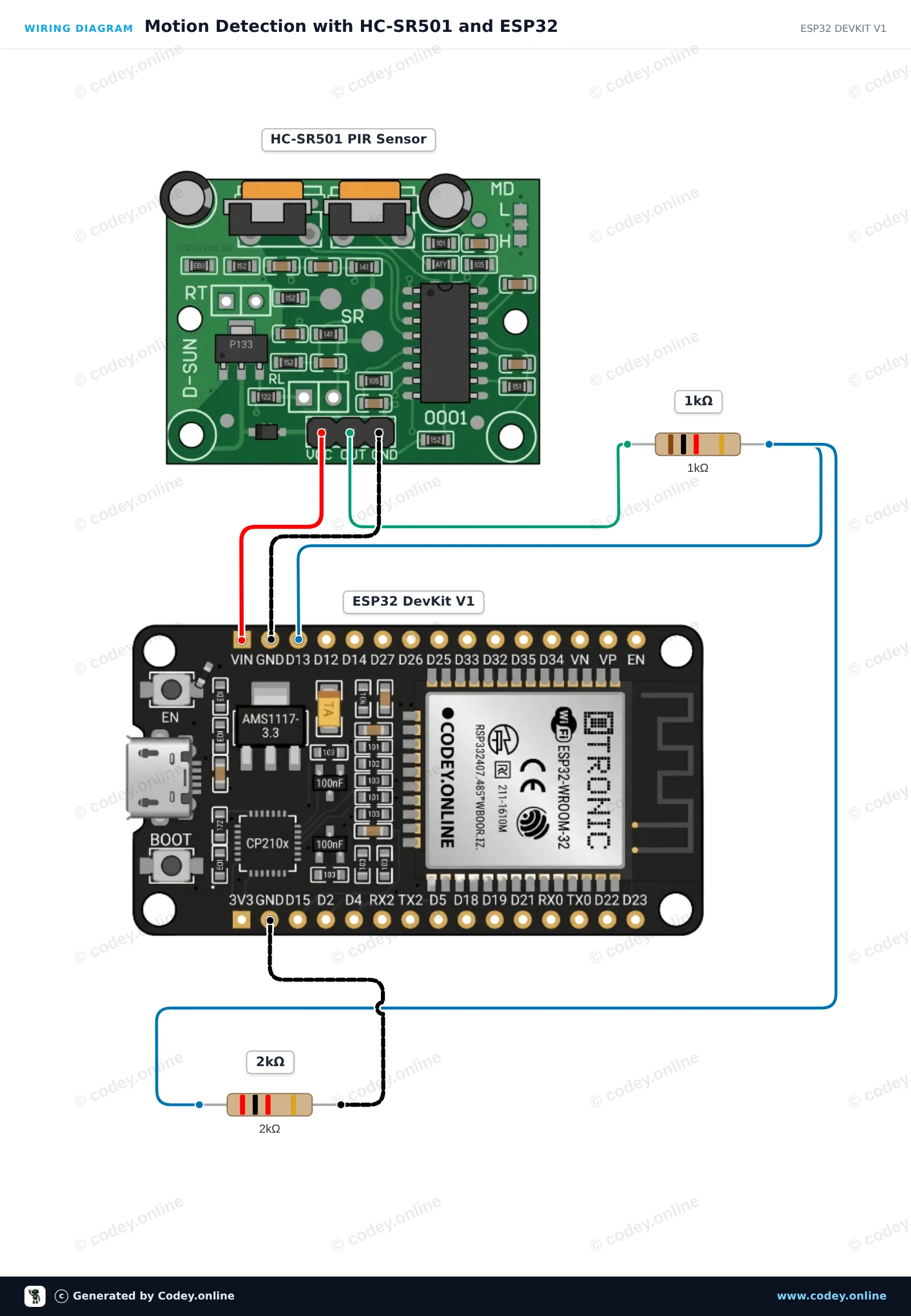
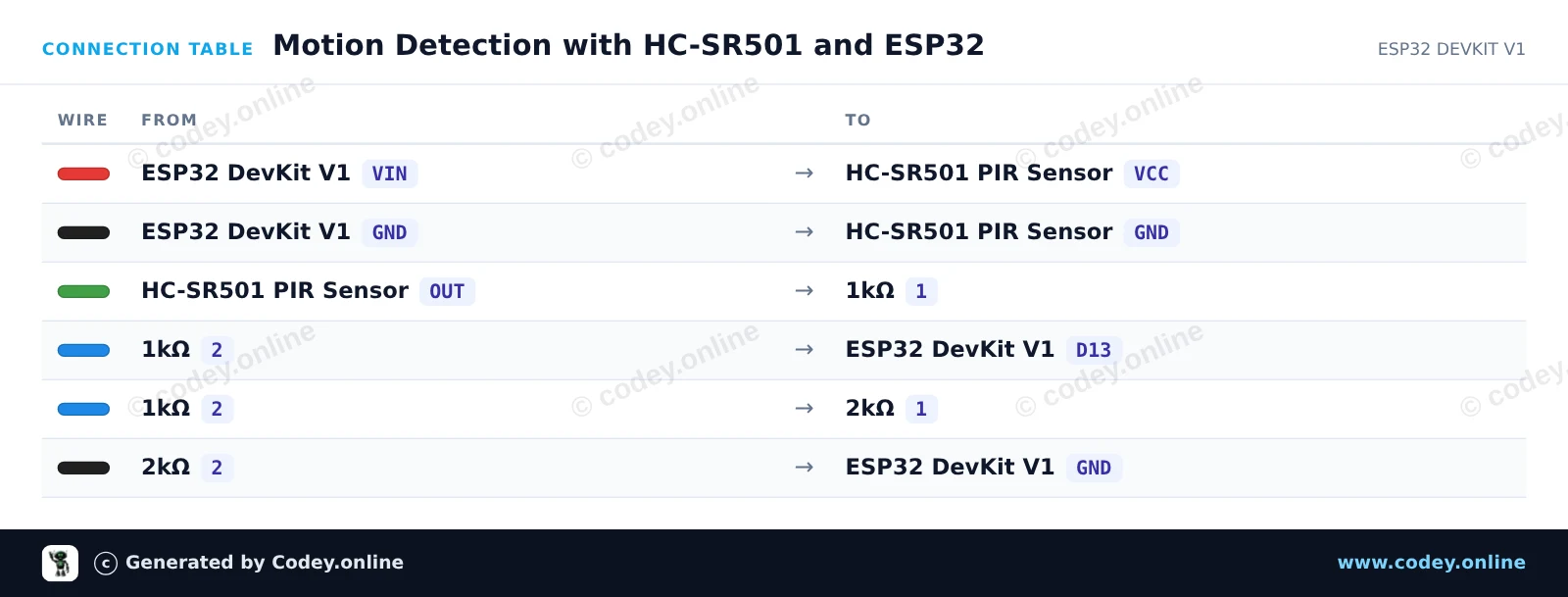
Sådan tilslutter du PIR Sensor HC-SR501 Bevægelsessensor til en Arduino UNO eller ESP32, med en eksempelsketch, du kan uploade med det samme.
Dette projekt registrerer menneskelig bevægelse ved hjælp af HC-SR501 PIR-sensoren. Når der registreres bevægelse, går sensorens output pin til HIGH, hvilket tænder den onboard LED og udskriver en advarsel til Serial Monitor. Åbn Serial Monitor ved 115200 baud for at se bevægelsesstatus i realtid.
/*
 * ==================================================================
 *  Generated by Codey.online  —  https://www.codey.online
 * ==================================================================
 *  Project   : HC-SR501 Motion Detection with Arduino Uno
 *  Board     : Arduino UNO (arduino:avr:uno)
 *  Parts     : HC-SR501 PIR Motion Sensor
 *  Libraries : none (built-in)
 *
 *  Codey Online is an AI-powered browser IDE for Arduino and ESP32.
 *  Describe your project and Codey writes the code, draws the wiring
 *  diagram and uploads it to your board, straight from the browser.
 *  This code is free to use, modify and share, without warranty.
 * ==================================================================
 */

// HC-SR501 PIR Motion Sensor Demo

const int PIR_PIN = 2;
const int LED_PIN = 13;

int lastState = LOW;

void setup() {
  pinMode(PIR_PIN, INPUT);
  pinMode(LED_PIN, OUTPUT);

  Serial.begin(115200);
  Serial.println(F("HC-SR501 PIR Motion Sensor Initialized"));
  Serial.println(F("Warming up sensor (approx. 30-60 seconds)..."));
}

void loop() {
  int motionState = digitalRead(PIR_PIN);

  if (motionState != lastState) {
    if (motionState == HIGH) {
      digitalWrite(LED_PIN, HIGH);
      Serial.println(F("Motion detected!"));
    } else {
      digitalWrite(LED_PIN, LOW);
      Serial.println(F("Motion ended."));
    }
    lastState = motionState;
  }

  delay(100);
}Wiring diagram and example code generated by Codey.online — https://www.codey.online
Dette projekt registrerer bevægelse ved hjælp af en HC-SR501 PIR-sensor. Sensoren forsynes fra 5V VIN-pin, og en spændingsdeler med 1kΩ/2kΩ modstande forbinder sikkert sensorens udgang med ESP32'ens 3.3V-indgang. Når der registreres bevægelse, lyser onboard LED, og der sendes en besked til Serial Monitor.
/*
 * ==================================================================
 *  Generated by Codey.online  —  https://www.codey.online
 * ==================================================================
 *  Project   : Motion Detection with HC-SR501 and ESP32
 *  Board     : ESP32 DEVKIT V1 (esp32:esp32:esp32doit-devkit-v1)
 *  Parts     : HC-SR501 PIR Motion Sensor
 *  Libraries : none (built-in)
 *
 *  Codey Online is an AI-powered browser IDE for Arduino and ESP32.
 *  Describe your project and Codey writes the code, draws the wiring
 *  diagram and uploads it to your board, straight from the browser.
 *  This code is free to use, modify and share, without warranty.
 * ==================================================================
 */

// HC-SR501 PIR Motion Sensor Demo
const int PIR_PIN = 13;      // Connected to HC-SR501 OUT via divider
const int LED_PIN = 2;       // Onboard LED

int lastState = LOW;

void setup() {
  Serial.begin(115200);
  pinMode(PIR_PIN, INPUT);
  pinMode(LED_PIN, OUTPUT);

  Serial.println("HC-SR501 Sensor warming up (approx. 30-60s)...");
  delay(2000);
  Serial.println("Ready to detect motion.");
}

void loop() {
  int motion = digitalRead(PIR_PIN);

  if (motion != lastState) {
    if (motion == HIGH) {
      digitalWrite(LED_PIN, HIGH);
      Serial.println("Motion detected!");
    } else {
      digitalWrite(LED_PIN, LOW);
      Serial.println("Motion ended.");
    }
    lastState = motion;
  }

  delay(50);
}Wiring diagram and example code generated by Codey.online — https://www.codey.online





 English
  Nederlands
  Frans
Frans  Deutsch
  Italiano
  Español
  Suomi
Suomi  Polski
  Ελληνικά
  Български
  Čeština
  Hrvatski
  Aileen